Using DWG Exporter
After successfully installed the program adds DWG Exporter command to the Navisworks Codemill ribbon tab. Note that you need separate license to use this module.
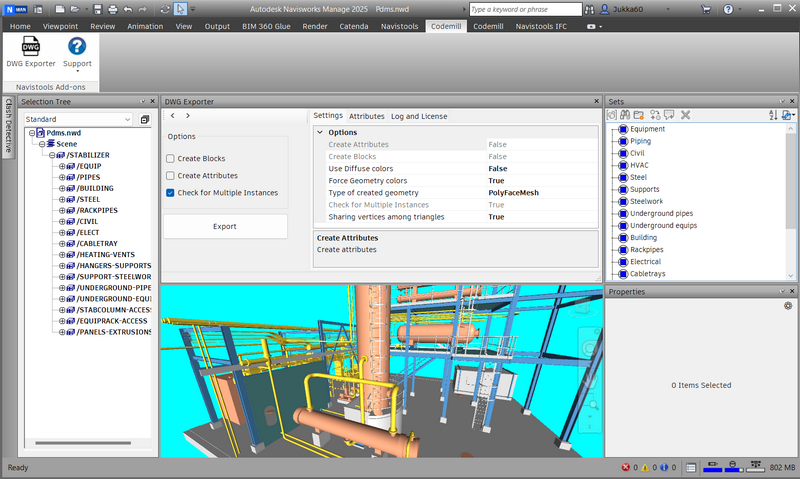
With DWG Exporter you can export any file (or part of the large file) that can be opened in Navisworks to the .DWG format. If the source file is big, it is better to export it in several goes.
My First Export
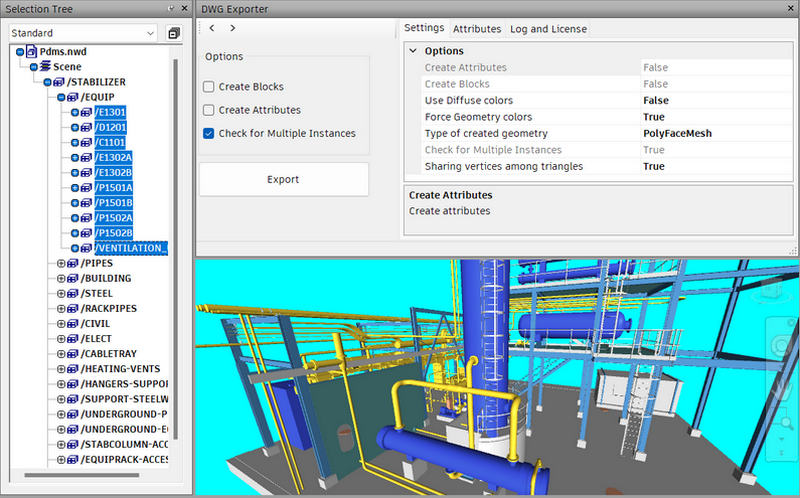
Please select one or more model items in the Selection Tree and press Export to start the exporting process. The plugin is asking for the file name and creates an DWG File from selected model items.
Please note!
This gave you the basic idea how the plugin is working. Elements (PolyFaceMeshes, SubDMeshes or Blocks) in the final DWG file are based on your selection and the plugin will create as many elements as there are selected model items when the process is started.
Select Parents or Children

In the left upper corner of the plugins UI there are 2 buttons that can be used for selecting previous or next hierarchy level of already selected model items.
Left button selects parents of the currently selected model items and the right one selects childrens of the currently selected model items.